
Human Resource Information Systems (HRIS) have become an essential part of the modern HR tech stack. Whether you’re a growing startup or a global enterprise, an HRIS can help your HR team streamline processes, stay compliant, and gain deeper insights from employee data.
In this guide, we’ll cover everything you need to know about HRIS in 2025, from definitions to implementation, tools, certifications, and how to extract maximum value from your system.
What is an HRIS?
An HRIS, or Human Resource Information System, is a digital platform used by organizations to manage core HR functions like employee data management, payroll, benefits, time tracking, compliance, and reporting. It serves as the central database for all HR information and helps automate routine administrative tasks.
Modern HRIS platforms are cloud-based and often integrate with third-party tools to create a seamless HR ecosystem.
HRIS vs. HRMS vs. HCM: What’s the Difference?
While the terms HRIS, HRMS (Human Resource Management System), and HCM (Human Capital Management) are often used interchangeably, there are subtle differences:
- HRIS focuses on core HR functionalities such as employee data, payroll, and compliance.
- HRMS includes everything in HRIS but adds talent management features like recruiting, onboarding, and training.
- HCM is a broader strategy that encompasses HRMS capabilities while aligning workforce planning and analytics with business goals.
In 2025, many vendors blur the lines between these terms. What matters most is the functionality offered, so it’s crucial to evaluate tools based on your company’s specific needs.
Core Functions of an HRIS

Most HRIS platforms include the following modules:
- Employee Database Management – Centralized storage for employee information.
- Payroll Processing – Automates salary calculations, tax deductions, and paystub generation.
- Benefits Administration – Tracks health insurance, retirement plans, and perks.
- Time and Attendance Tracking – Logs working hours, leave, and PTO balances.
- Compliance Management – Ensures adherence to labor laws and company policies.
- Reporting and Analytics – Generates insights from workforce data.
Self-Service Portals – Enables employees to update personal data, request leave, and access paystubs or tax forms.
Related: Why Is Conversational HR the Future of Employee Interaction?
Key Benefits of Using an HRIS
Implementing a robust HRIS offers several advantages:
1. Efficiency and Time Savings
Automates manual processes like data entry, payroll, and leave tracking—freeing up HR professionals to focus on strategic tasks.
2. Improved Accuracy
Reduces errors caused by spreadsheets or paper forms and ensures data consistency across departments.
3. Regulatory Compliance
Built-in compliance tools help organizations stay updated with labor laws, tax regulations, and documentation requirements.
4. Data-Driven Decisions
Advanced reporting features give HR teams actionable insights into headcount trends, turnover, diversity metrics, and more.
5. Enhanced Employee Experience
Self-service features empower employees, improving transparency and satisfaction.
Best HRIS Integration: Winslow
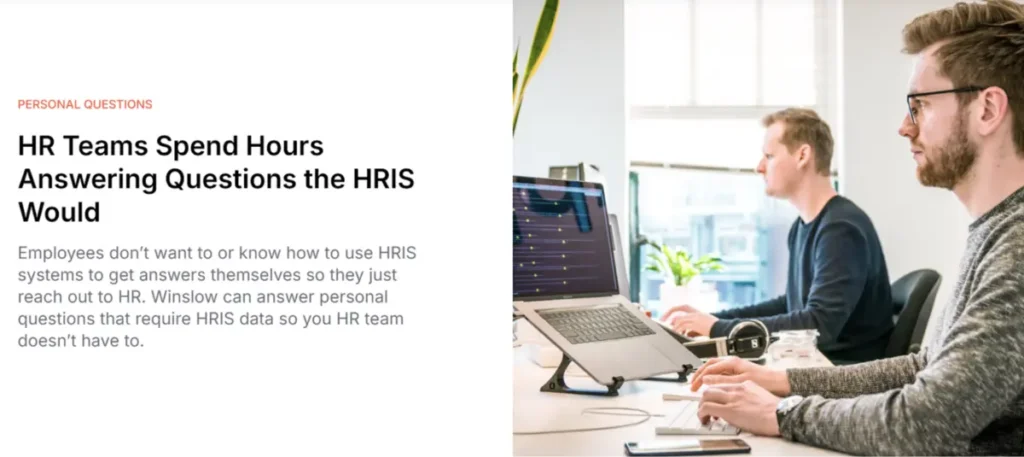
One of the most impactful ways to extend the value of your HRIS is by integrating it with Winslow, your AI copilot for HR support.
By connecting Winslow to your HRIS system, you unlock powerful capabilities that streamline employee support, personalize responses, and reclaim time for your HR team.
Here’s what Winslow + HRIS integration enables:
- Instant access to employee profiles: Winslow can surface relevant employee information—such as job title, location, department, and manager—directly inside tools like Gmail, Outlook, Slack, and Teams. This makes every interaction more informed and contextual.
- Personalized answers at scale: When employees ask questions, Winslow uses their profile data (e.g., location, seniority, employment type) to determine which policies or documents apply to them. That means accurate, tailored responses—without manual triage from your HR team.
- Support for sensitive, personal queries: Employees can safely ask Winslow about private details like their available PTO, upcoming leave balance, or pay stubs. With secure HRIS access, Winslow delivers the answers they need without escalating the request.
By pairing your HRIS with Winslow, you turn your data into a dynamic, always-on support layer, accessible right where your teams work. It’s not just hris integration; it’s intelligent automation built for modern HR.
Connect your HRIS with Winslow and start delivering personalized, real-time HR support—without lifting a finger.
Popular HRIS Tools in 2025

Here are some examples of widely used HRIS platforms:
- BambooHR – Ideal for small to medium businesses; user-friendly interface.
- Workday – Enterprise-grade system with strong HCM and analytics capabilities.
- Gusto – Combines HRIS with payroll and benefits for growing teams.
- Rippling – Offers unified HR, IT, and finance capabilities.
- Zenefits – Known for ease of use and benefits administration features.
When evaluating HRIS tools, look for scalability, integration options, ease of use, and compliance features.
Related: What is an HR Chatbot and How Does It Help HR Teams Do More with Less Time
HRIS Implementation in 6 Steps
Rolling out an HRIS involves careful planning. Here’s a step-by-step approach:
1. Identify Business Requirements
Determine what HR problems you need to solve—payroll delays? Compliance gaps? Manual reporting?
2. Select the Right HRIS Tool
Demo multiple vendors. Look for alignment with your business size, growth plans, and integration needs.
3. Plan the Rollout
Build a cross-functional team, define a timeline, and identify key milestones.
4. Data Migration
Clean, structure, and transfer existing HR data into the new system with minimal disruption.
5. Training & Change Management
Train HR teams, employees, and managers. Communicate benefits to drive adoption.
6. Go Live & Monitor
Launch in phases if needed. Monitor usage and troubleshoot issues during the early weeks.
HRIS Management Best Practices
To get the most out of your HRIS investment:
- Keep Data Clean and Updated – Conduct regular audits to avoid duplication or outdated records.
- Integrate with Other Tools – Connect your HRIS with payroll systems, ATS, and collaboration platforms like Slack or Teams.
- Define Access Levels – Use role-based permissions to protect sensitive data.
- Review Workflows Annually – As your company scales, revisit processes and system configurations.
- Prioritize User Experience – Make self-service portals intuitive and mobile-friendly.
How to Get the Most Out of Your HRIS Data

Your HRIS holds a goldmine of workforce data. Use it to:
- Track Turnover Trends – Identify patterns by department, location, or tenure.
- Optimize Hiring – Measure time-to-hire, cost-per-hire, and source effectiveness.
- Monitor DEI Metrics – Analyze diversity breakdowns and inclusion efforts.
- Forecast Workforce Needs – Predict hiring needs based on business growth or attrition.
Support Engagement Programs – Link performance data with employee surveys or feedback loops.
What Does an HRIS Analyst Do?
An HRIS analyst manages the system’s performance, ensures data accuracy, and provides insights to HR and leadership teams. Their responsibilities include:
- System configuration and updates
- Report generation and data analysis
- User training and support
- Vendor management
- Workflow optimization
In larger organizations, the HRIS analyst bridges the gap between HR and IT.
Related: How to Create a Recruiting SOP That Improves Hiring
HRIS Certification: Should you Get it?
If you’re an HR professional managing HR technology, a certification can sharpen your skills and enhance your credibility. Here are some options:
Pace HRIS Certification – Covers configuration, data analysis, and best practices.
SHRM HR Tech Certificate – Focuses on integrating tech into strategic HR.
LinkedIn Learning: HRIS Courses – Good for beginners and general upskilling.
These certifications are especially valuable for HR generalists, HRIS analysts, and operations professionals.
Frequently Asked Questions
1. What is the difference between HRIS and HCM?
HRIS focuses on core HR administrative tasks, while HCM includes strategic talent management and workforce planning.
2. Do small businesses need an HRIS?
Yes, even teams as small as 20–30 employees benefit from the automation and compliance support HRIS offers.
3. How much does an HRIS cost?
Costs range from $5–$30 per employee per month, depending on features and size. Some tools offer free trials or freemium plans.
4. Can an HRIS integrate with Slack or Gmail?
Many modern HRIS tools offer integrations with communication platforms for alerts, approvals, and workflows.
5. How long does implementation take?
Anywhere from 4–12 weeks based on company size, system complexity, and data readiness.
Give Your HR Team a Smarter Way to Work
Spend less time answering repeat questions and more time driving strategy. Winslow’s AI copilot integrates with your HRIS to automate support, personalize answers, and keep your team focused on what matters.